This page describes the paths for data created during the game. For the layout of data bundled with the game, see Finding Your Way Around.
Operating System
Windows
Windows Vista/10/11
For mods, replays, saved games, and screenshots:
- Link:
%UserProfile%\documents\my games\0ad\ - E.g.:
C:\Users\JohnDoe\Documents\My Games\0ad\- mods
- replays
- saves
- screenshots
For cache and logs:
- Link:
%LocalAppData%\0ad\ - E.g.:
C:\Users\JohnDoe\AppData\Local\0ad\- cache
- logs
Note: If you installed a 0 A.D. Alpha release, use the Windows Start menu > 0 A.D. alpha > Open logs folder shortcut; SVN users can run source/tools/openlogsfolder/OpenLogsFolder.bat instead.
For user config and possibly other user data:
- Link:
%AppData%\0ad\ - E.g.:
C:\Users\JohnDoe\AppData\Roaming\0ad\- config
Note: When starting 0 A.D. with the -writableRoot start parameter, runtime game data are stored in the root data directory (only use this if you have write permissions on that directory). In case of using an SVN version, this would be under \trunk\binaries\data\.
Windows XP/2000
For saved games, replays, screenshots, and mod data:
C:\Documents and Settings\JohnDoe\My Documents\My Games\0ad\- Just view "My Documents" in Explorer.
For logs and cache:
C:\Documents and Settings\JohnDoe\Local Settings\Application Data\0ad\
For user config and possibly other user data:
C:\Documents and Settings\JohnDoe\Application Data\0ad\- You can use the
%appdata%variable as a shortcut:%appdata%\0ad\
Note: These paths are localized, for instance in German the logs path is C:\Dokumente und Einstellungen\Max Mustermann\Lokale Einstellungen\Anwendungsdaten\0ad\logs.
macOS
Apple's guidelines are followed as closely as possible.
Non-cache data: config e.g. user.cfg, logs e.g. crashlog.txt, mods, replays, screenshots and save files
/Users/{YOUR USERNAME}/Library/Application\ Support/0ad/
Cached data:
/Users/{YOUR USERNAME}/Library/Caches/0ad/
Note:
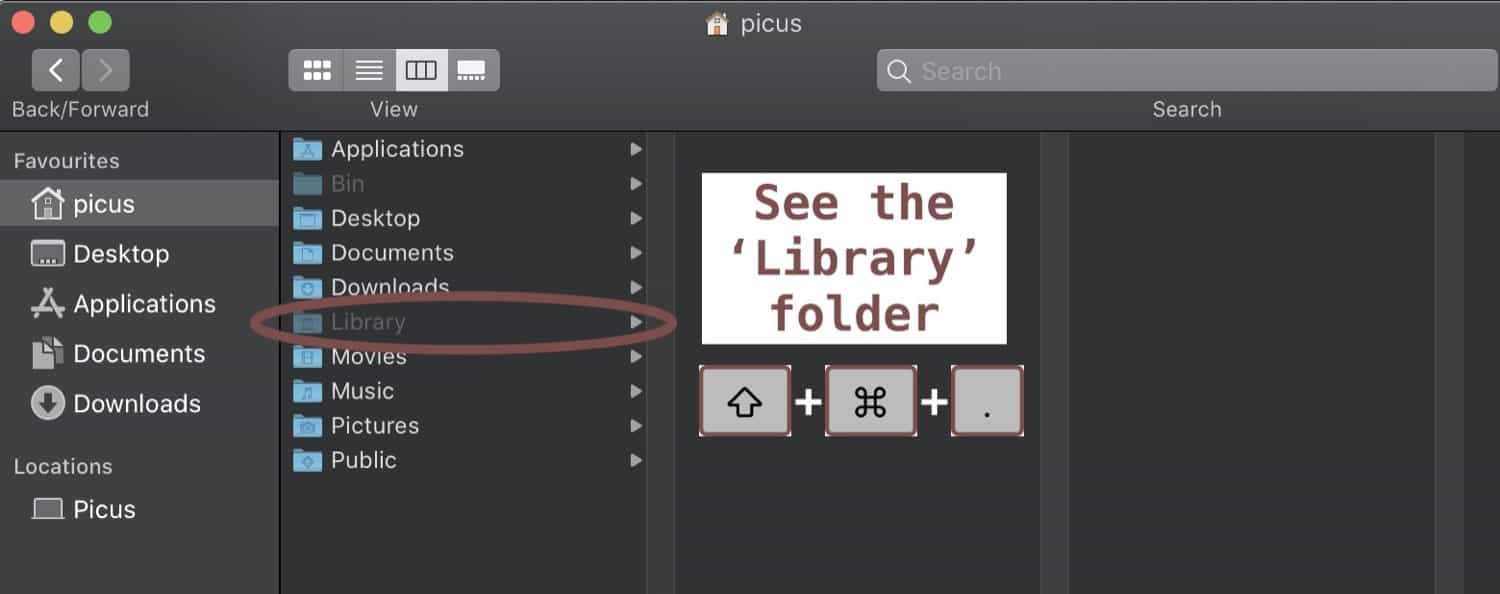
The Library folder is hidden by default, here are two ways to reach the 0ad folder:
- Open
Finderand pressShift+cmd+Gand enter~/Library/Application Support/0ador - press
Shift+cmd+.and navigate to the path above.

Linux
Standard XDG base directories are used.
For most data created during the game (replays, screenshots, savegames):
~/.local/share/0ad/- Up to A19, replays would be found in ~/.config/0ad/logs/sim_log
For user config and logs:
~/.config/0ad/
For cached data:
~/.cache/0ad/
For custom maps made with Atlas:
~/.local/share/0ad/mods/user/maps/
For users who installed the the game using Snap use this as the 'home' directory:
~/snap/0ad/current/
Note: "~" is a shorthand for the current user directory.
Attachments (1)
- macOS_library_folder.jpg (29.9 KB ) - added by 3 years ago.
Download all attachments as: .zip